Two weeks ago we showed you CubersDen for Apple TV while it waited for Apple. It is live now. Open the App Store on your TV, search for CubersDen and install it. It is free and you sign in with the same account you use on the web and on your phone.
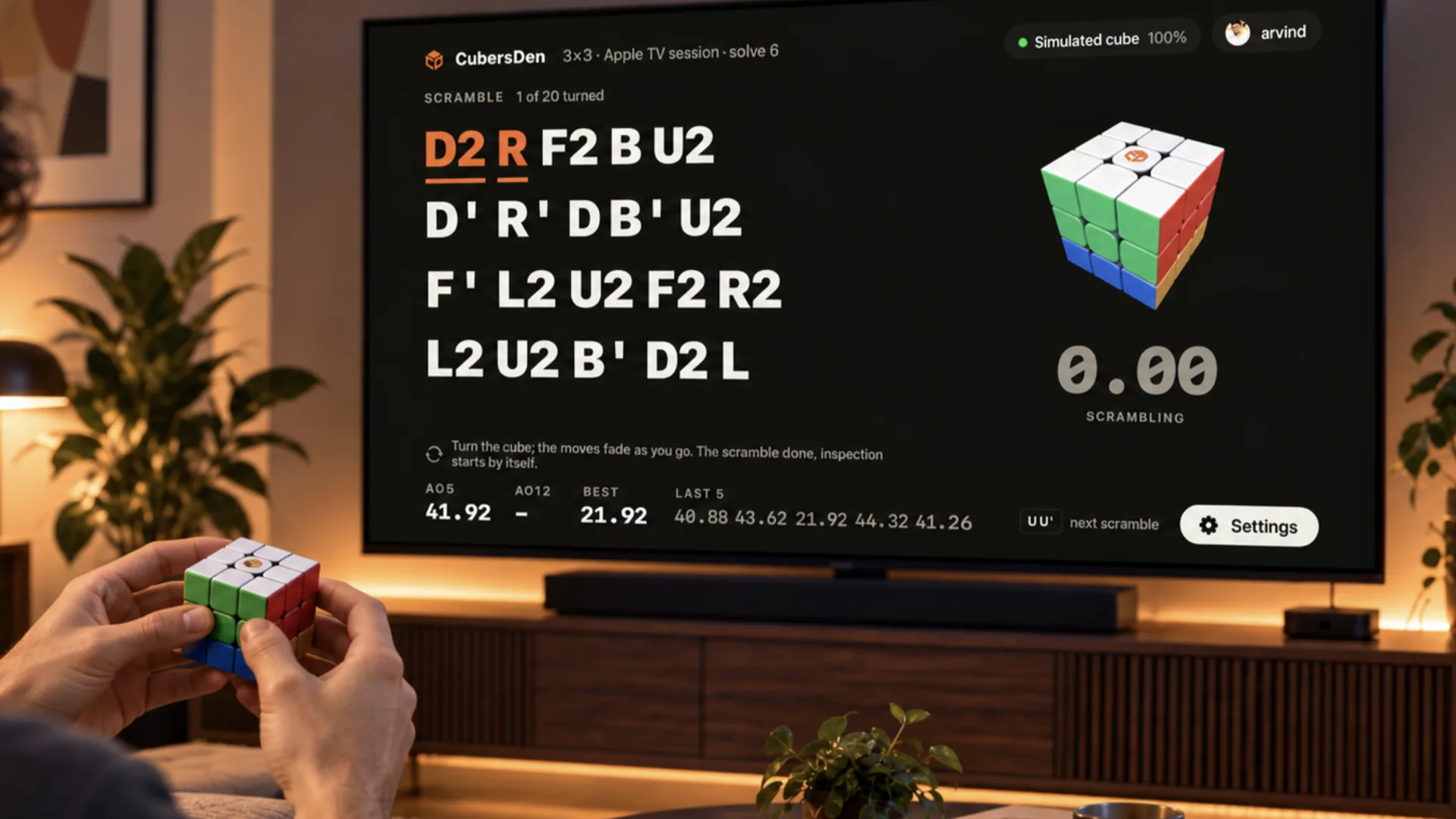
As far as we know, it is the only one
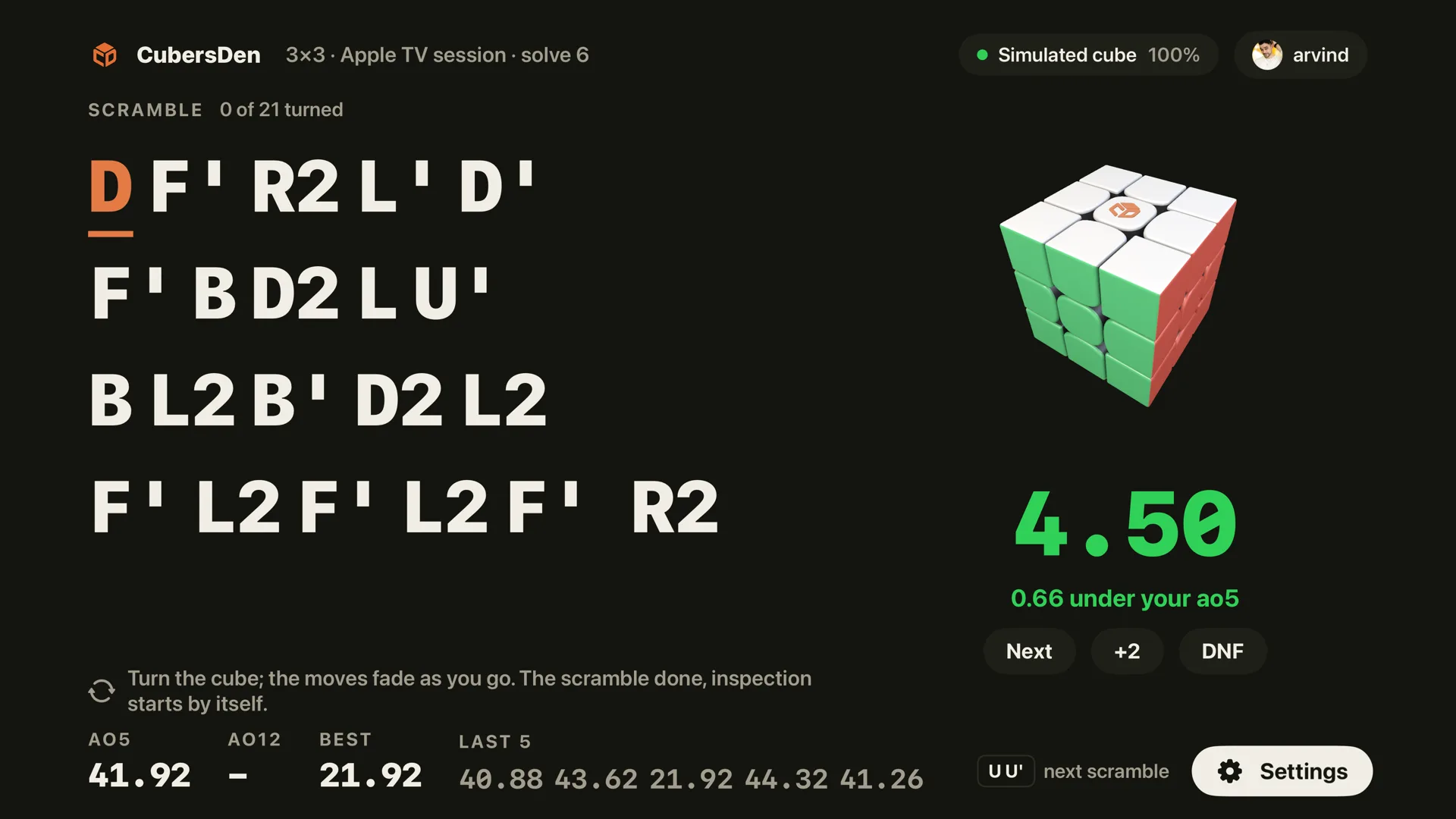
We looked through the App Store and found no other speedcubing app on Apple TV that talks to a smart cube. Your cube connects to the TV over Bluetooth, the screen fades each scramble move as you make it, the first turn starts the clock and the solved cube stops it. You never need the remote while you solve.
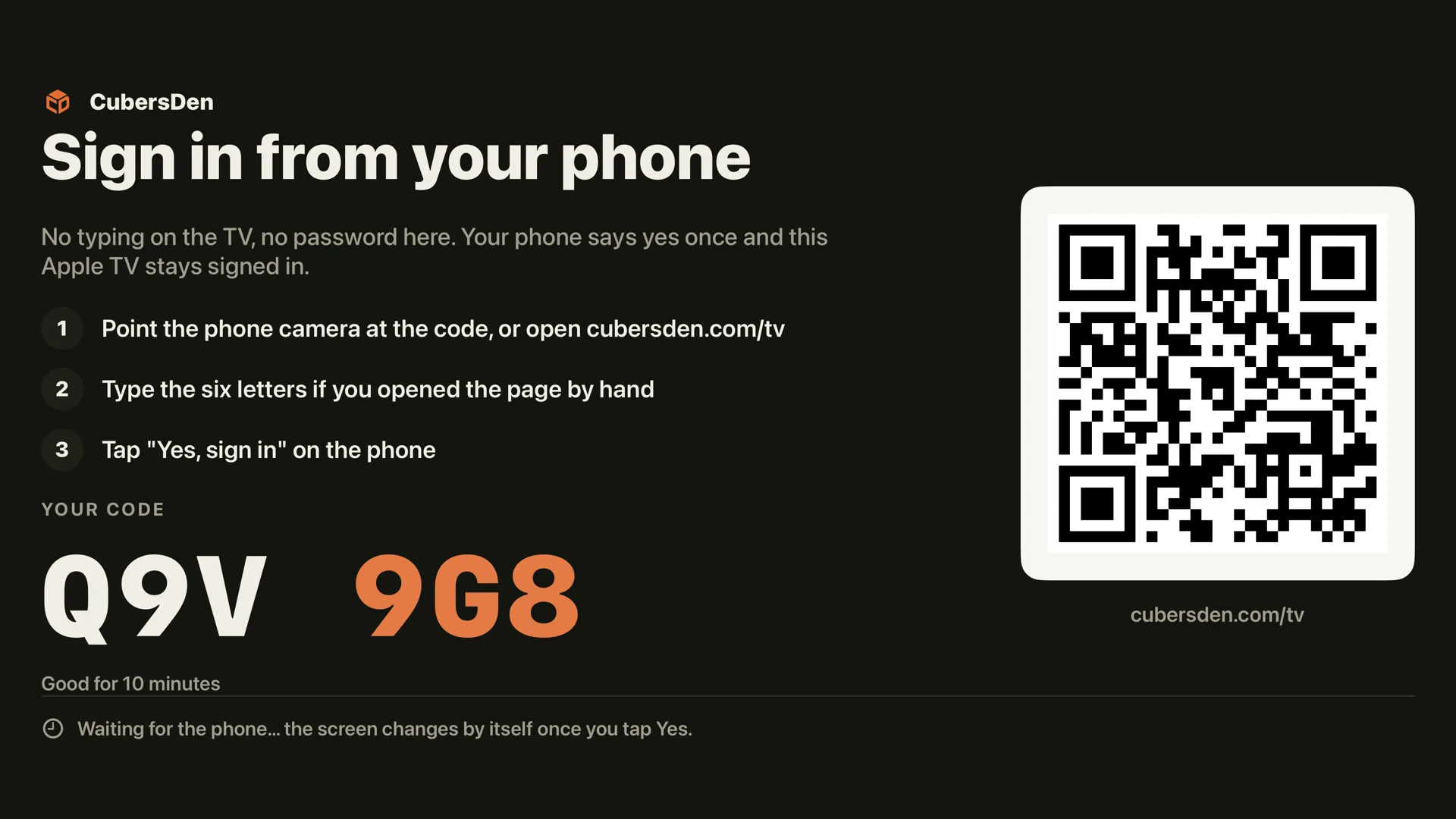
Getting started
The TV shows six letters and a QR code. Open cubersden.com/tv on your phone, type the letters and tap Yes, sign in on the TV. Then connect your cube: GAN, MoYu WeiLong V10 AI, XMD Tornado V4 AI, QiYi AI, or a GAN Smart Timer if you solve on a mat.
Every solve lands in your account under its own session, called Apple TV, with its full move record. You can open it later on cubersden.com or in the phone app.
You need an Apple TV with tvOS 18.2 or newer. Without a smart cube or a GAN Smart Timer you can sign in and look around, but the clock belongs to the cube. Want to know more about how it works? Read our first article about the Apple TV app, or go straight to the App Store.