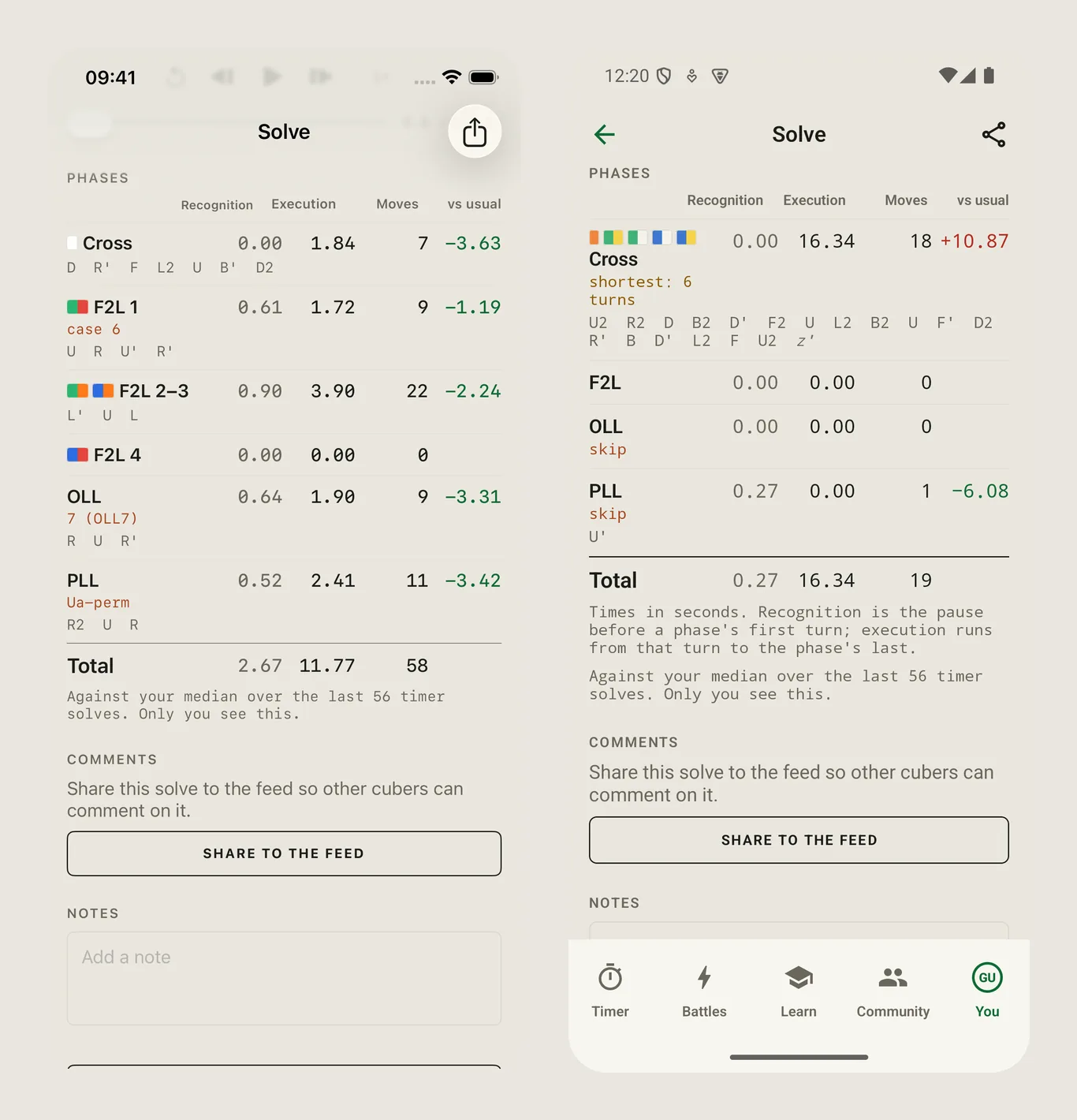
Since October the web version of CubersDen has had a coach: it reads every turn your smart cube sends and tells you where your seconds go. Only a few of you ever saw it, because most CubersDen accounts live on a phone and never open the site. Update 1.15 fixes that. Apple and Google both approved it on 6 November, so it is in both stores now. In every picture below the iPhone is on the left and the Android phone on the right.
Coach, in Learn
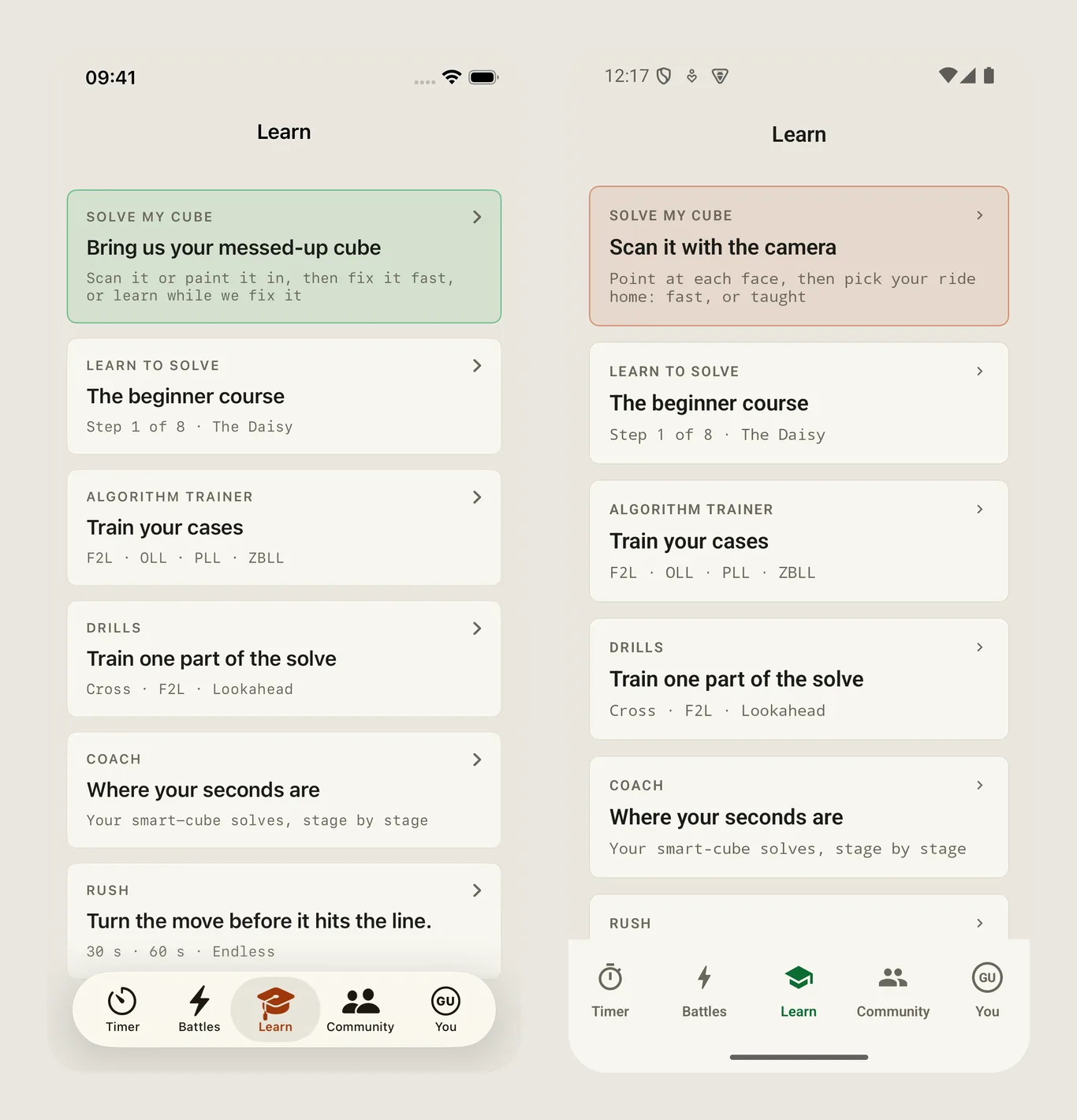
Open Learn and there is a new card: Coach, where your seconds are. It needs a smart cube, because the coach reads the turns, not just the time. Connect a cube once and your account remembers it on every phone and on the web. Without a smart cube the page says so and tells you what to do, instead of showing an empty chart.
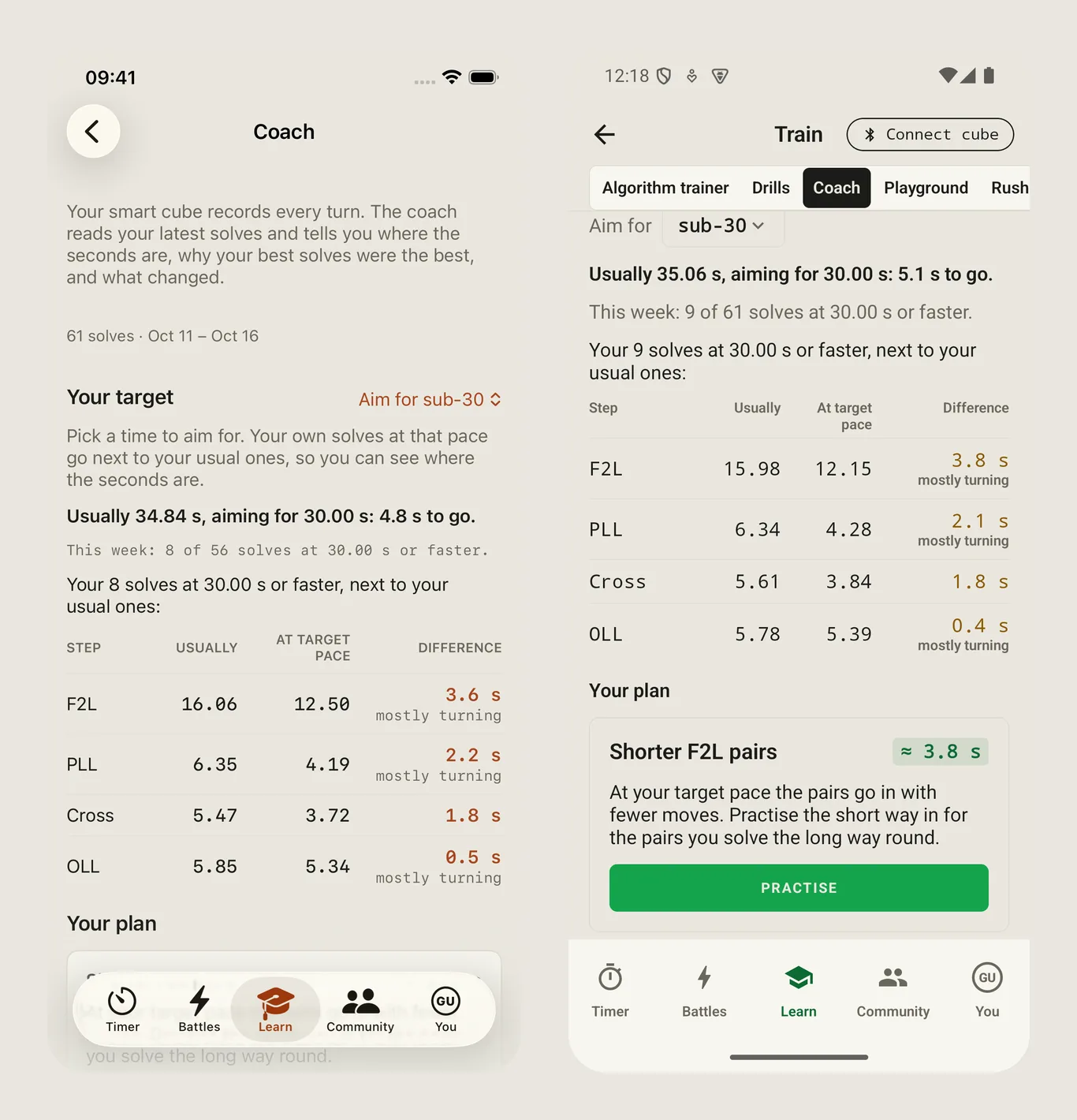
Pick a time to aim for
At the top you choose a target, say sub-30. The coach then puts your own solves at that pace next to your usual ones, step by step: cross, F2L, OLL, PLL. The last column says where the difference comes from. Mostly turning means you turn faster in the quick solves; without it you do the same thing in fewer moves. It is your own solving, so the numbers are honest about you, not about some world champion.
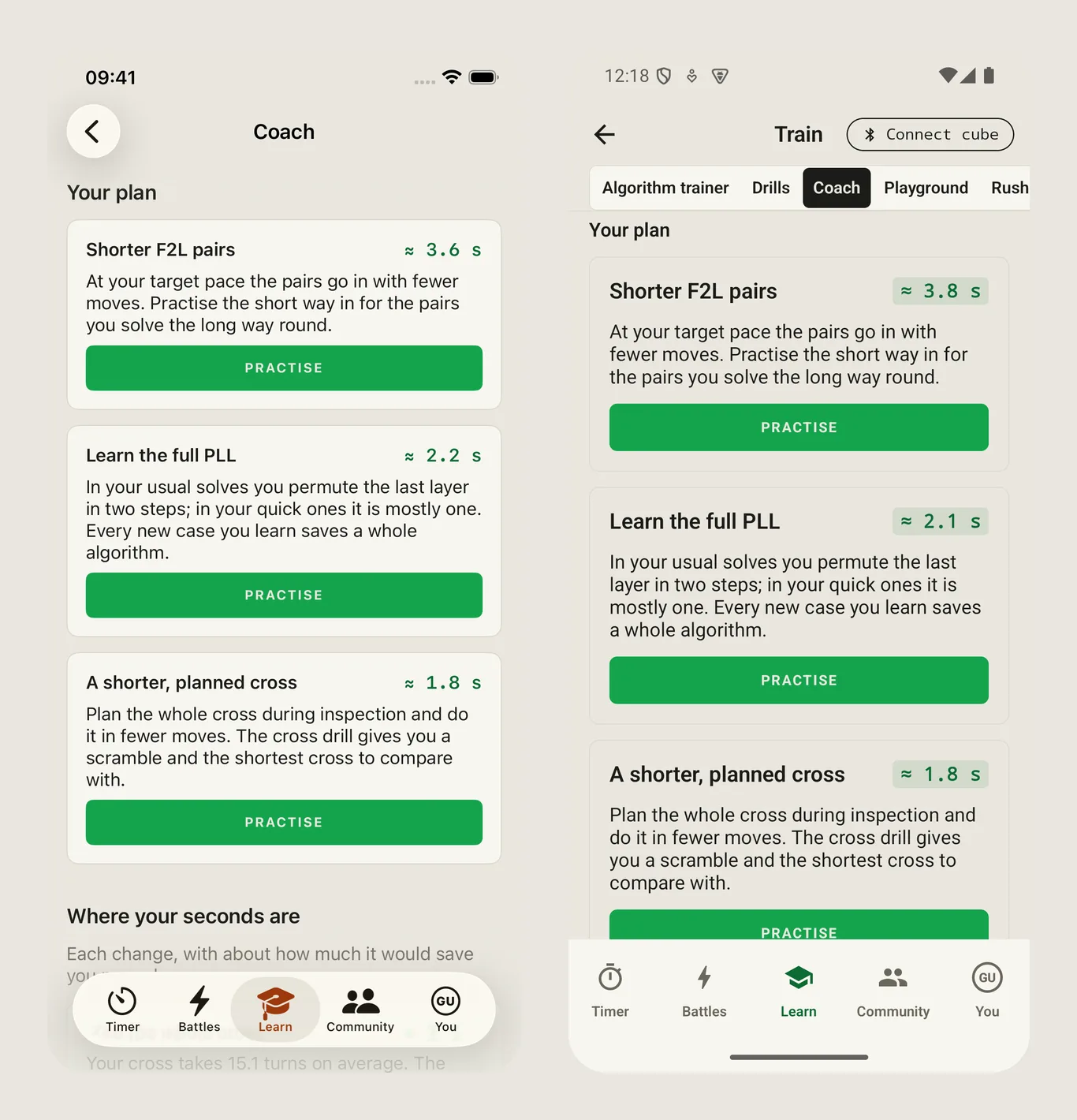
A plan with a button
Under the table the coach writes a plan: at most three things, each with about how much it would save. Every card has a Practise button that opens the right drill or trainer, so the plan is not just words on a screen.
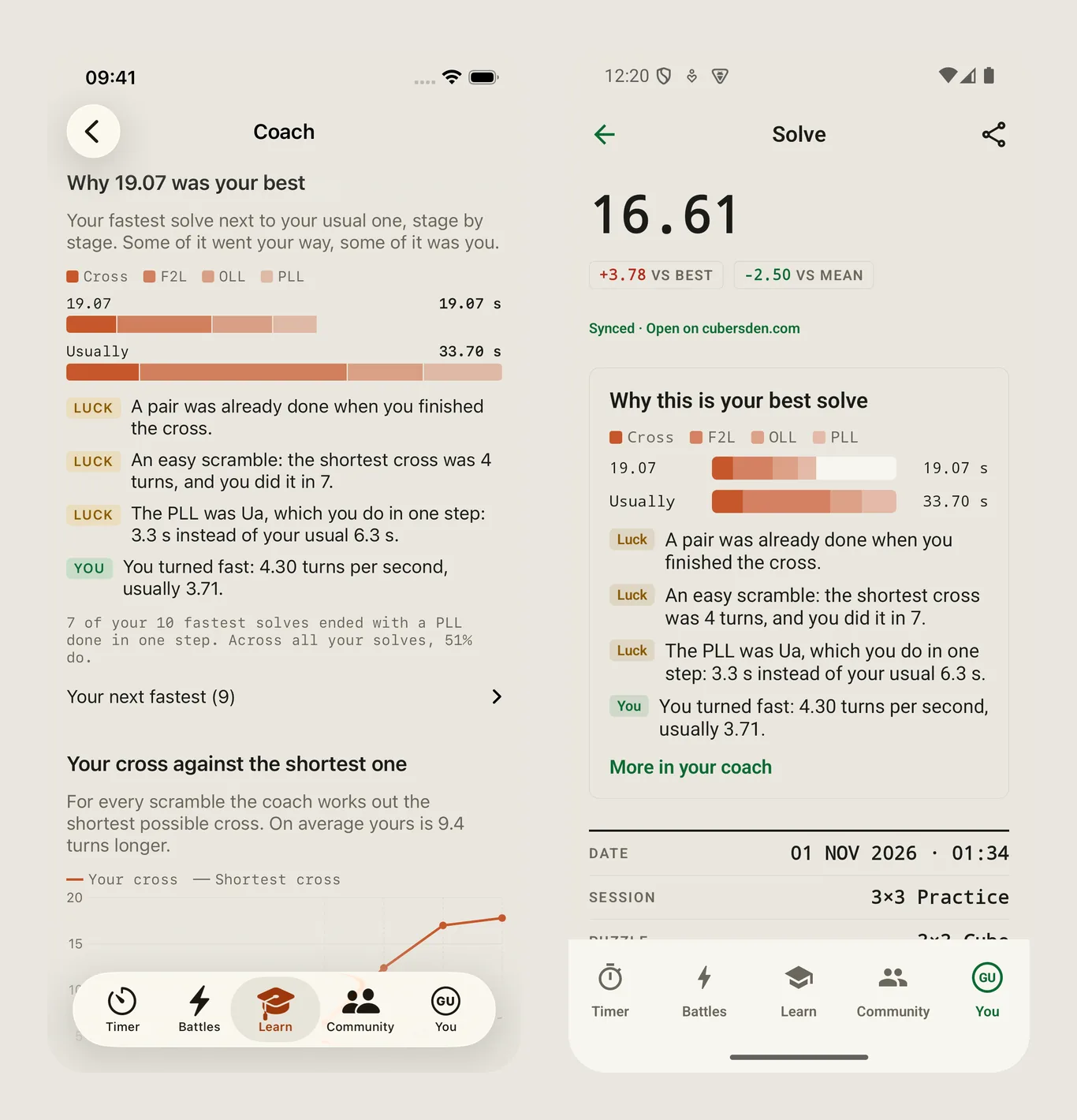
Why your best solve was the best
Was that record skill or luck? The coach takes your fastest solve, puts it next to your usual one, and labels every difference luck (an easy scramble, a pair already in place, a PLL skip) or you (you turned faster, you planned the cross). The same card appears on the solve page of your best solves, so you see it right after you set a record.
Every solve, against your usual one
Every solve page now has a vs usual column: how much faster or slower each stage was than your median. Green is faster. The cross line also shows the shortest cross for that scramble, and F2L pairs, OLL and PLL get their case names. Want to practise this exact scramble? Open it in the guided solve from the solve page and the app walks you through it.
Type a time
Not every solve is timed on the phone. Under the timer there is now Type a time: enter the result by hand and the app reads it back under the field, so 13034 becomes 1:30.34 before you save. The scramble can zoom to full screen too. The web got this a few days ago; here is the full story.
Where to get it
Update CubersDen on the App Store or on Google Play. The coach reads the same solves everywhere, so what you see on the phone is what you see at cubersden.com/coach. If you have a smart cube and the coach says it needs more solves, do a few timed ones with the cube connected and come back: it reads the last two weeks.